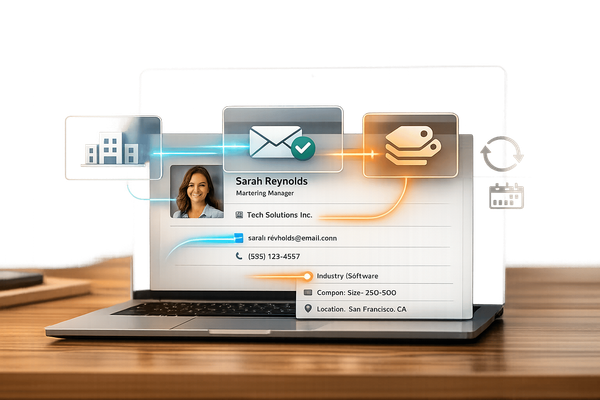
Contact Database Hygiene: Common Questions Answered
Clean contact data prevents wasted outreach, reduces bounces, and improves results—audit regularly, standardize entries, remove duplicates, validate contacts, and enforce governance.
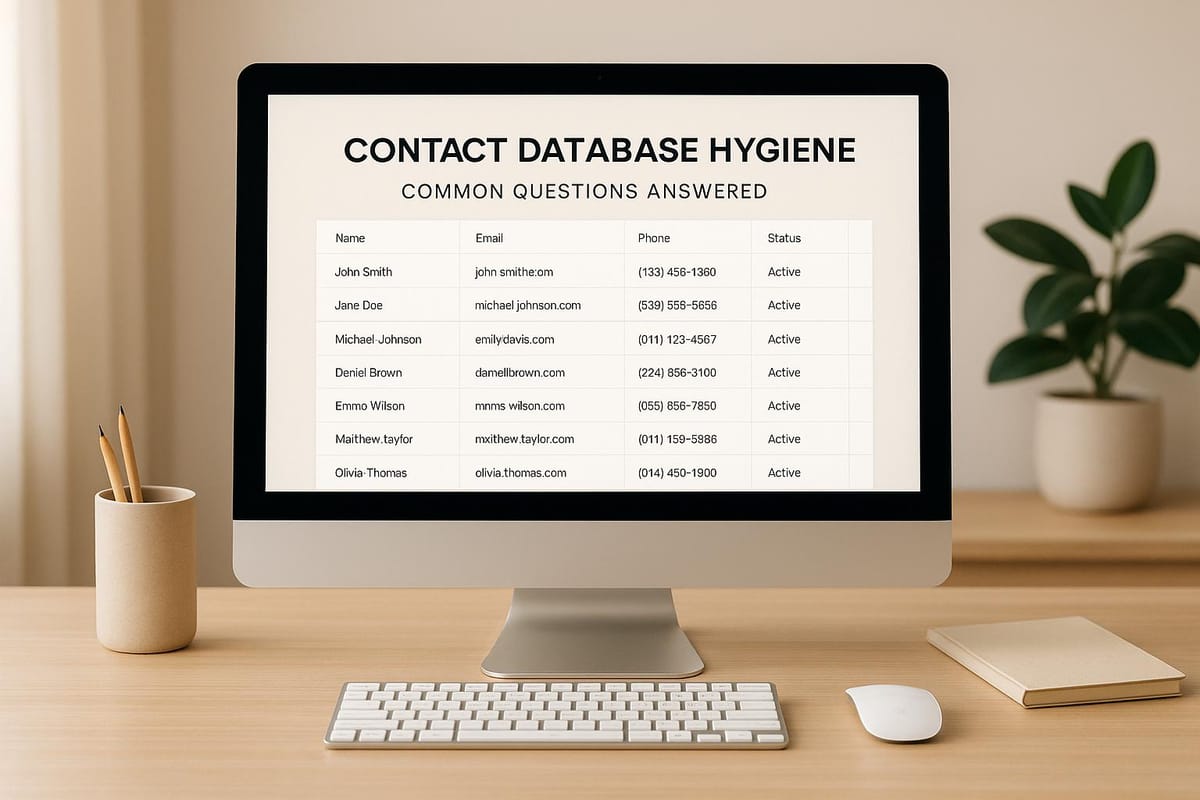
Keeping your contact database clean is critical. Why? Outdated or inaccurate data wastes time, ruins campaigns, and impacts revenue. Regular updates and clear standards ensure your sales and marketing efforts reach the right people. Here's how to maintain a reliable database:
- Audit regularly: Review your data quarterly or monthly to catch outdated or incomplete records.
- Standardize entries: Use consistent formats for names, emails, and phone numbers to avoid chaos.
- Remove duplicates: Merge or flag duplicate records to save time and prevent errors.
- Validate data: Use tools to confirm emails, phone numbers, and addresses are correct.
- Combat data decay: People change jobs, companies reorganize, and contact details shift - plan for updates to avoid falling behind.
With clear processes, validation tools, and team accountability, you can maintain a clean database that drives better results. Start with small steps - like removing duplicates or setting up validation rules - and build from there.
Master HubSpot Data Hygiene | Save Time & Money with Clean Data Strategies #hubspot
Steps to Keep Your Contact Database Clean
Keeping your contact database in good shape takes regular effort and a clear strategy. Here’s a straightforward guide to ensure your data stays accurate and useful.
1. Run Regular Data Audits
Make it a habit to review your database on a routine basis. For most businesses, a quarterly audit works well, but if you’re managing a fast-growing database or a high-volume sales team, monthly checks might be better. The goal is to catch outdated or incomplete records before they become a problem.
Look for missing details or records that haven’t been updated in over a year - these can mess up your segmentation efforts. Pay attention to bounce rates and engagement stats, too. If email addresses are consistently bouncing, it’s a sign the contact has moved on or the address was entered incorrectly. Similarly, contacts who haven’t engaged with your emails or outreach in 18 to 24 months might not be relevant anymore.
After big changes, like a merger, run an additional audit. A sudden increase in bounce rates or a drop in engagement is often a red flag for data issues. Once your audit is complete, focus on setting up strong data entry standards to avoid future problems.
2. Use Consistent Data Entry Standards
Inconsistent data entry can create chaos. For example, one person might enter a company name as "IBM", another as "I.B.M.", and someone else as "International Business Machines Corporation." This makes it harder to search your database and run accurate reports. The solution? Standardization.
Set clear rules for every field. Decide on a single format for phone numbers, like (555) 123-4567 or 555-123-4567, and stick to it. Simplify company names by removing unnecessary punctuation or legal suffixes unless they’re absolutely needed. For job titles, pick one style - like "VP of Sales" or "Vice President of Sales" - and apply it consistently.
Use tools to minimize errors. Dropdown menus for fields like industry or lead source can prevent variations like "Tech", "Technology", and "IT" from being treated as separate categories. Real-time checks for email addresses can catch common mistakes, like missing "@" symbols or typos in domain names.
Finally, create a data entry guide for your team. Include examples of how fields should look, explain why these standards matter, and provide quick-reference tips. Keep this guide easy to access and update it as needed.
3. Remove and Prevent Duplicate Records
Duplicate records are more than just an annoyance - they waste time, skew your metrics, and can lead to embarrassing mistakes like contacting the same person multiple times. Cleaning them up and preventing new ones is key.
Start by identifying duplicates. Use criteria like name, email, and company to spot potential matches. Most CRM systems have built-in tools for this, but you can also look for outside software if needed.
When merging duplicates, keep the best data from each record. For example, the older record might have a detailed history of interactions, while the newer one has updated contact info. Combining these ensures you don’t lose valuable insights.
Preventing duplicates is even better than cleaning them up. Use CRM rules that flag potential matches before a new record is created. Some systems can automatically prompt team members to update an existing record instead of creating a new one. You can also set up automated workflows to handle duplicates in the background, merging records with high confidence or flagging others for review.
For extra accuracy, consider using unique identifiers beyond email addresses. A LinkedIn profile URL, for instance, can help confirm whether two records belong to the same person, even if they’ve changed companies or email addresses.
Maintaining a clean database isn’t a one-and-done task - it’s an ongoing process. But with regular audits, clear data standards, and tools to manage duplicates, you’ll keep your database in top shape.
How to Validate and Update Contact Data
Even the best-maintained database can lose its accuracy over time. People switch jobs, companies change names, and contact details go inactive. If you don’t regularly validate and update your data, your outreach efforts can quickly become outdated.
1. Set Up Validation Rules
Validation rules act as safeguards, ensuring that your contact data is accurate and properly formatted from the start.
Email verification is a great example. Start by implementing real-time checks for email format and domain accuracy - this helps catch simple typos, like missing "@" symbols. For a deeper layer of protection, use email verification tools that ping mail servers to confirm if an address is active, without sending an actual email. This can prevent hard bounces, which can hurt your sender reputation.
Phone number validation follows a similar process. Set up rules to confirm the correct number of digits based on country codes and ensure numbers are in standard formats (e.g., for U.S. numbers, 10 digits in formats like (555) 123-4567 or 555-123-4567). Advanced validation can also flag invalid entries, such as area codes that don’t exist or prefixes that aren’t used.
Address verification is equally important, especially if you’re sending direct mail or need accurate location data. Tools that cross-check entries against postal databases can ensure accuracy. For instance, the United States Postal Service processes over 27,000 address changes daily, so it’s easy for your database to become outdated. Automated tools can catch errors and even suggest corrections for incomplete or incorrect entries.
Make sure to set up required fields for essential information. For example, if a phone number is critical for lead qualification, make it mandatory. But be cautious - asking for too many details can frustrate users, leading to fake data just to complete the form.
You can also create custom validation rules tailored to your needs. For instance, flag personal email domains like Gmail or Yahoo if you’re targeting business contacts, or verify that job titles align with a company’s size and industry.
After setting up validation rules, make it a habit to update your database regularly. Even the most accurate data will degrade over time.
2. Handle Data Decay
Validation is just the first step. To stay ahead of data decay, you need a plan for ongoing updates. Contact information can become outdated faster than you think. Consumer data typically decays at a rate of 25% to 30% per year, while business data often deteriorates even faster.
Why does this happen? People change jobs, get promoted, or leave the workforce. Companies merge, relocate, or shut down. Email addresses tied to old employers become inactive, and phone numbers get reassigned. This constant churn - known as data decay - is a major challenge for keeping your database reliable.
The consequences of outdated data go beyond a few bounced emails. It can skew your campaign analytics, waste your sales team’s time on dead leads, and even harm your credibility when you contact someone who left their company months ago.
Automated refresh tools can help. These systems compare your database against external sources and update contact details automatically. For example, if someone changes jobs, the tool can update their company, title, and email address in your CRM. Platforms like Enrichfox, Apollo, and ZoomInfo specialize in this kind of continuous data enrichment.
Set up scheduled update cycles based on how quickly your data tends to decay. For high-priority accounts or active prospects, monthly updates are a smart choice. For larger, less critical lists, quarterly updates may suffice. The key is consistency - occasional updates won’t keep up with a 30% annual decay rate.
You can also use re-engagement campaigns to validate your data. For example, if a contact hasn’t responded to your emails in 12 to 18 months, send them a message asking them to confirm their details or update their preferences. If they remain unresponsive after multiple attempts, consider archiving or removing them from your database.
A tiered approach can help you prioritize data updates. Focus on your most valuable contacts - like active deals, key accounts, and high-value prospects - for frequent validation. Lower-priority contacts can be updated less often or only when you’re planning a campaign.
Finally, don’t overlook the value of manual spot checks. Encourage your sales team to flag outdated information during their outreach efforts. Make it easy for them to submit corrections, and set up a workflow to ensure these updates are properly routed in your system.
Data decay is inevitable, but it doesn’t have to derail your efforts. By making validation and updates a regular part of your routine, you’ll improve deliverability, save time, and get more accurate results from your campaigns.
Tools for Contact Database Hygiene
Keeping your contact database accurate and up-to-date is crucial for effective communication and outreach. When selecting a tool, consider factors like accuracy, cost, and ease of use to ensure it aligns with your team’s needs.
1. Enrichfox vs. Competitors
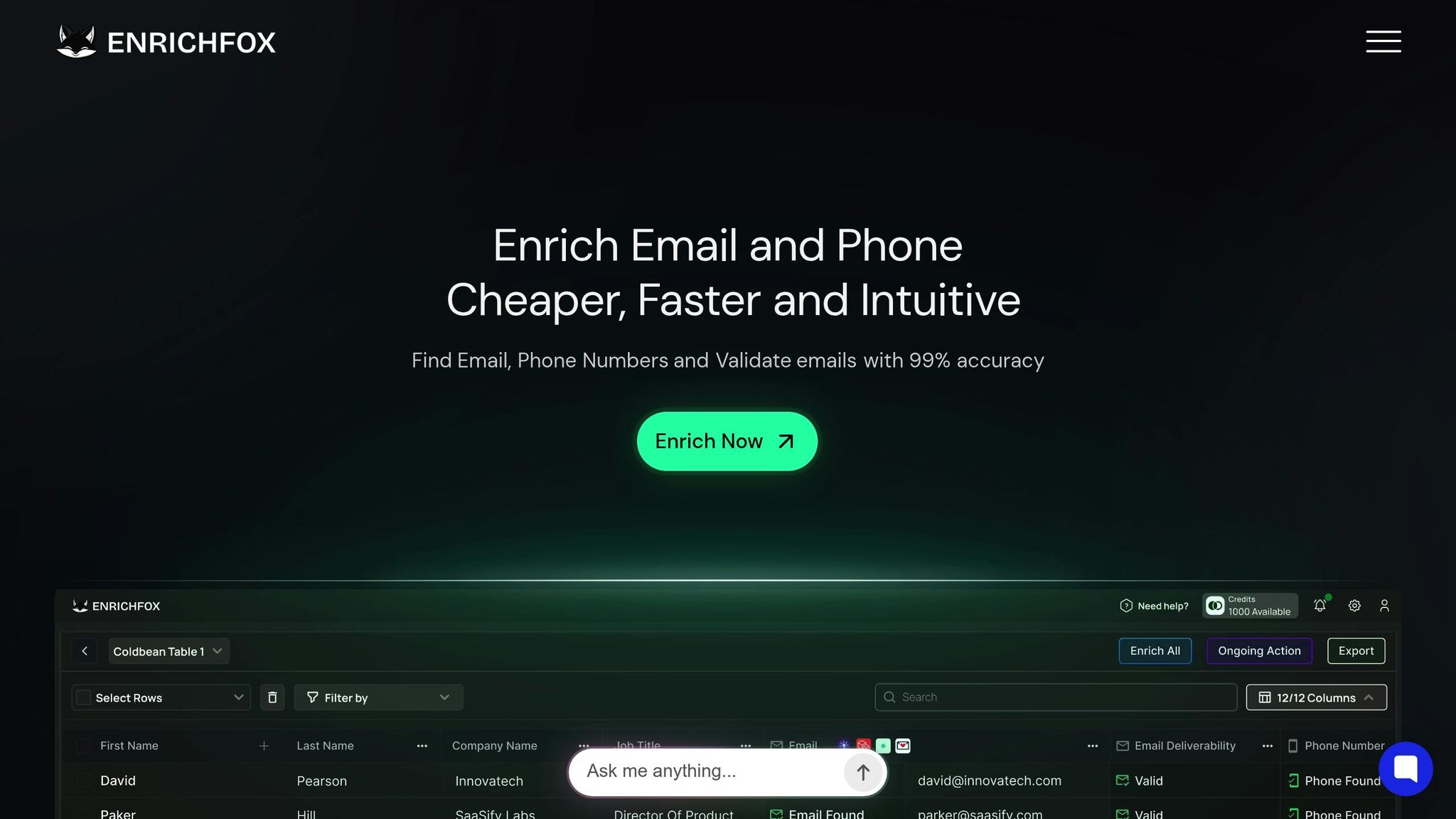
Enrichfox operates on a pay-as-you-go pricing model - charging $0.05 per valid email, $0.00025 per verified email, and $0.03 per valid phone number. With an impressive 99% email validation accuracy, it offers bulk enrichment, API integration, and CSV export options. This makes it an excellent choice for teams seeking simplicity and dependable data enrichment.
Apollo combines data enrichment with engagement tools, creating a unified platform for managing contact data and outreach efforts. This integration can be appealing for teams looking to streamline their processes.
ZoomInfo provides a rich database of B2B contact information alongside advanced filtering options. Its robust feature set is particularly suited for enterprises with larger budgets.
Clay emphasizes workflow automation, pulling data from multiple sources and integrating it into custom workflows. While this flexibility is valuable, it may require a steeper learning curve for new users.
LeadMagic and Wiza specialize in LinkedIn data extraction and enrichment, catering to teams heavily focused on LinkedIn prospecting.
FullEnrich, BetterEnrich, and BetterContact employ a "waterfall enrichment" method, querying multiple data sources to improve data coverage. However, this approach can sometimes slow down processing and increase costs.
Findymail, Prospeo, Icypeas, and Dropcontact are niche tools that often come with competitive pricing. However, it’s essential to verify their data quality, as accuracy can vary between providers.
Choosing the right tool ultimately depends on your specific requirements. For instance, small teams focused on email outreach may benefit from Enrichfox’s transparent pricing model, while Apollo’s integrated approach might appeal to those seeking a combined data and engagement platform. Enterprises with broader needs could turn to ZoomInfo, and teams requiring custom workflows might explore Clay. Evaluating these tools based on your priorities will help you make the best decision.
2. Features to Look for in a Tool
When evaluating data hygiene tools, it’s important to go beyond brand names and pricing. Look for features that simplify database management and enhance data quality:
- Real-time validation: Ensure the tool can verify email addresses and phone numbers as they’re entered, checking for syntax errors, domain accuracy, and mailbox existence without triggering spam filters.
- Bulk processing: The ability to handle large volumes of contacts is essential for cleaning extensive databases efficiently.
- API integration: Seamless connections with CRMs, marketing platforms, or custom applications can automate data hygiene tasks and save time.
- Duplicate detection: Advanced tools use fuzzy matching to catch variations in data, like different name spellings or email formats.
- Data enrichment: Opt for tools that can append missing details, such as job titles, industries, or social media profiles, to create a more detailed and actionable contact list.
- Compliance support: Features that help track consent, manage opt-outs, and adhere to privacy laws like GDPR and CCPA are critical for staying compliant.
- User-friendly interface: An intuitive dashboard and clear documentation encourage team adoption and consistent use.
- Flexible export options: The ability to export data in various formats (like CSV or Excel) or directly to your CRM ensures smooth data transfers and avoids vendor lock-in.
- Transparent pricing and support: Reliable customer service and clear pricing - without hidden fees - are essential. Pay-as-you-go options can offer predictable costs compared to subscription plans.
Before committing to a tool, take advantage of free trials or starter packages to test its accuracy and compatibility with your workflow. These features will help maintain a clean and reliable database, which is key to any successful data hygiene strategy.
Data Governance for Long-Term Quality
Keeping your data clean through regular audits and validation is essential, but maintaining quality over time requires a solid governance framework. Data governance sets the rules for managing your contact data: who owns it, how it should be handled, and the standards everyone needs to follow. Without this structure, your database can quickly become a mess, with inconsistencies, skipped validation steps, and neglected maintenance.
1. Assign Roles and Responsibilities
A strong governance plan starts with defining who is responsible for what. Clear ownership helps prevent gaps in data quality.
Begin by appointing a Data Steward or Database Manager - someone dedicated to overseeing the health of your contact database. This person doesn’t need to handle every single data task but should monitor quality metrics, coordinate cleanup efforts, and ensure teams follow established standards. Their role is to be the go-to person for anything related to data quality.
Responsibilities should be clearly divided among teams. For example:
- Sales reps update contact details immediately after interactions.
- Marketing verifies email addresses before importing lists.
- Customer success teams flag outdated information during client interactions.
Using a RACI matrix (Responsible, Accountable, Consulted, Informed) can help clarify roles. For instance:
- Sales reps are responsible for updating contact details.
- The database manager is accountable for overall accuracy.
- IT is consulted for technical integrations.
- Leadership is informed through regular quality reports.
You can also link data quality to performance reviews or team incentives. For example, if accurate pipeline data impacts sales commissions, reps will be motivated to keep contact records up to date. Similarly, marketing teams might prioritize list hygiene if bonuses are tied to email deliverability rates.
This clear structure not only ensures accountability but also sets the stage for ongoing training and monitoring.
2. Monitor and Train Your Team
Once roles are defined, equip your team with the tools and training they need to succeed.
Start by setting key performance indicators (KPIs) to measure database health over time. Common metrics include:
- Duplicate rate (percentage of duplicate records)
- Data completeness (percentage of required fields filled)
- Email bounce rate
- Phone number accuracy
- Data decay rate (how quickly records become outdated)
Automate alerts for critical issues. For instance, if your email bounce rate exceeds 5%, your CRM or email platform should notify the database manager. Similarly, if duplicate records make up more than 10% of new entries in a week, it’s time to review your data entry processes. These alerts allow you to address problems before they escalate.
Training should be a priority during onboarding and beyond. When new team members join, include data hygiene in their training. Teach them how to search for existing contacts, identify mandatory fields, and use validation tools. Schedule quarterly refresher sessions to review common mistakes, introduce new CRM features, or share tips for efficient data entry. Keep these sessions short - 15 to 30 minutes - and practical.
Make training relatable by using real examples from your database. If you’ve noticed frequent errors like misspelled company names or inconsistent phone number formats, show actual records (with sensitive details removed) and explain how these mistakes impact email deliverability, lead routing, or reporting accuracy. When team members see the real-world consequences of sloppy data, they’re more likely to take precision seriously.
Provide quick reference guides and checklists for daily use. A one-page guide on phone number formatting, handling international contacts, or merging duplicates can help prevent mistakes on the spot. Store these resources in an easily accessible location, like a shared drive or company wiki.
Finally, build a culture of data quality by recognizing improvements and addressing issues constructively. Celebrate progress in KPIs to reinforce good habits. The goal is to make data quality a shared responsibility, not just a top-down directive.
Conduct biannual audits of random records to spot trends and refine your governance practices. Check for accuracy, completeness, and consistency, and document recurring issues. For example, you might find that certain teams consistently enter data more accurately or that specific fields are often left blank. Use these insights to improve your governance plan and focus future training efforts.
Conclusion
A well-maintained contact database is the backbone of effective outreach and accurate analytics. Keeping your data clean ensures better conversion rates, higher deliverability, and dependable reporting. The difference between a database that's regularly maintained and one that's neglected can be the difference between connecting with the right audience at the right time or wasting resources on outdated or incorrect information.
The strategies we've discussed work together to create a solid approach to data hygiene. Regular audits help catch issues early, consistent data entry standards reduce errors, validation rules maintain accuracy, and duplicate prevention keeps your database lean and efficient. By integrating tools that align with your workflow, you can automate much of the process, saving time and effort.
Sustaining data hygiene isn't just about having the right tools - it's about effective governance and team collaboration. When your team understands the importance of data quality, knows their responsibilities, and has the proper training, maintaining a clean database becomes second nature. Metrics, alerts, and regular training sessions all contribute to fostering a culture where accurate data is the norm. Pairing these practices with strong governance ensures your database stays healthy and your team stays productive.
Start small - focus on one area, like removing duplicates or validating email addresses, and build consistent habits before tackling other aspects of data hygiene. The key is to begin now and keep the momentum going. Schedule monthly audits, assign clear ownership for data quality, and make it a routine. Your sales and marketing teams will thank you when campaigns yield better results, reports are reliable, and you're not scrambling to fix issues before a major initiative.
Clean data is more than a technical necessity - it’s the foundation of successful sales and marketing efforts. Give it the attention it deserves, and you’ll see the payoff in every key metric.
FAQs
What are the best tools and methods to keep contact data accurate and up-to-date?
Keeping your contact data accurate and current is crucial, and automated data validation tools can make this task much easier. These tools are designed to spot and correct errors, inconsistencies, or outdated entries, saving you time while boosting accuracy.
Beyond automation, regular checks are also essential. For example, you can perform format validation to ensure data aligns with expected patterns, range validation to confirm values fall within acceptable limits, and type validation to verify that entries are in the correct format (like numbers or text). By combining these strategies with automation, you can minimize data decay and maintain a reliable contact database for effective outreach and lead management.
What’s the best way to ensure my team follows data entry standards to keep our contact database accurate?
To keep your database accurate and organized, start by creating clear data entry guidelines and sharing them with your team. Develop a standard operating procedure (SOP) that details roles, defines data management processes, and sets expectations for consistency. Regular training sessions and reminders can help reinforce these practices and keep everyone on the same page.
Designate specific team members to monitor data quality and take ownership of its accuracy. Conducting regular audits is another effective way to catch mistakes early and ensure everyone is following the established procedures. When data hygiene becomes a shared responsibility, it’s easier to avoid errors and maintain a dependable contact database.
What should I do if my email campaigns have a high bounce rate, which might indicate problems with my contact database?
A high bounce rate can often be traced back to outdated or incorrect contact details in your database. The first step is to identify and eliminate hard bounces - these are email addresses that are permanently undeliverable. Doing this not only safeguards your sender reputation but also improves the chances of successful delivery in future email campaigns.
To avoid similar problems down the line, it’s a good idea to regularly validate your contact information. Use email verification tools and adopt practices that focus on maintaining a clean and accurate database. Periodic reviews to spot and correct outdated or incorrect entries can go a long way in ensuring your contact lists remain dependable and effective.