How to Remove Duplicate Leads in Bulk
Guide to back up, standardize, detect and bulk-remove duplicate leads using CRM or third-party tools, plus rules to prevent future duplicates.
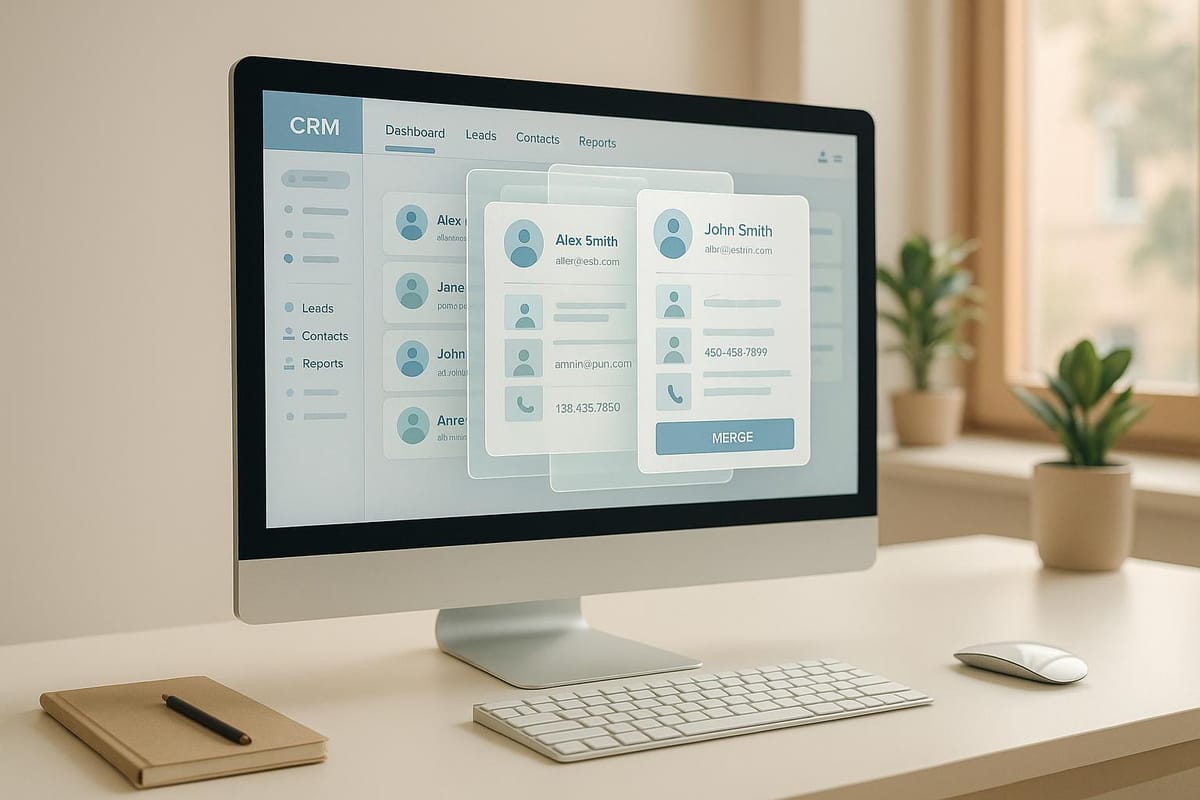
Duplicate leads in your CRM waste time, inflate costs, and distort marketing data. Removing them requires careful planning to avoid losing important information. Here's how to efficiently manage duplicate leads:
- Understand the Problem: Duplicate leads can arise from manual errors, system migrations, integrations, or inconsistent data entry.
- Prepare Your Data: Back up your CRM, standardize data fields (like emails and phone numbers), and define clear rules for keeping, merging, or deleting records.
- Use CRM Tools: Platforms like Salesforce, HubSpot, and Zoho offer built-in duplicate management features. Configure matching rules to identify duplicates based on criteria like emails or names.
- Leverage Third-Party Tools: For large datasets, tools like Enrich Fox validate and enrich data with high precision, ensuring clean records and seamless CRM integration.
- Prevent Future Duplicates: Set up validation rules, conduct regular audits, and train your team on standardized data entry practices.
Duplicate leads can cost businesses thousands in CRM fees and lost productivity. Cleaning up your data not only saves money but also improves your team's efficiency and decision-making.
What Duplicate Leads Are and How They Affect Your Business
Definition of Duplicate Leads
Duplicate leads are essentially multiple entries in your CRM that represent the same individual or contact. These can be exact matches - like two records with identical email addresses, phone numbers, and names - or they can be slightly different. For instance, "Sara K." and "Sarah Khan" or "John Smith" at "ABC Corp" versus "J. Smith" at "ABC Corporation" might all refer to the same person but appear as separate entries due to formatting differences.
Before tackling duplicate leads, it’s important to understand what qualifies as one. It’s not just about matching email addresses. Duplicates can also involve matching phone numbers, company domains, or combinations of names and companies. For example, your CRM might have both a lead record and a contact record for the same individual. Even though these exist in different categories, they still count as duplicates. Getting a clear definition of duplicates is the first step toward identifying their root causes and addressing their impact.
Common Causes of Duplicate Leads
Duplicate leads can creep into your CRM through several channels: manual errors, system migrations, integration glitches, and errors during lead imports. For example, sales reps entering contact details might not realize the same person is already in the system, especially if there are minor spelling differences. Typos make things worse - think "[email protected]" versus "[email protected]", which could result in two separate records for the same person.
In February 2025, a HubSpot user shared, "Multiple form fills, or manual lead creation before the workflow kicks in creates duplicate leads", highlighting how these duplicates can appear in reports even if only one record shows up in the prospecting workspace.
System migrations are another common culprit. When businesses switch CRM platforms, existing data often merges with new entries. Without proper deduplication processes, the same contact can show up multiple times. This issue becomes even more pronounced when companies run parallel systems during the transition.
Integration issues between tools also contribute to the problem. CRMs often connect with marketing platforms, customer support systems, webinar tools, and APIs. Each of these touchpoints can independently add the same contact. For instance, someone might register for a webinar, download a whitepaper, and fill out a contact form - all of which could trigger new lead entries in the absence of proper communication between systems.
Lead import mistakes are another source of duplicates. Lists from external sources - like event attendee rosters, purchased databases, or contacts exported from other platforms - often include people who are already in your system. In January 2024, a HubSpot user accidentally assigned the same batch of leads to contacts twice, creating duplicates that required time-consuming bulk deletion.
Lastly, the lack of real-time validation during data entry allows duplicates to slip through. Without checks that flag existing records, new entries can easily be added. Studies indicate that around 15% of sales leads are duplicates, making this a widespread issue across industries.
Business Costs of Duplicate Leads
The creation of duplicate leads doesn’t just clutter your CRM - it hits your bottom line and operational efficiency. Duplicate records inflate costs, waste time, and can even damage your brand’s reputation. For instance, if your sales team repeatedly contacts the same prospect using different records, it can come across as unprofessional. Similarly, duplicate emails can confuse recipients and harm your credibility.
Duplicate leads also skew your campaign performance data. Metrics like email open rates, click-through rates, and conversion percentages become unreliable. For instance, you might think your campaign has reached 10,000 leads, but if 1,500 of those are duplicates, your actual audience size is much smaller. This miscalculation can make your conversion rates look worse than they are.
CRM costs rise as well, especially if you’re paying per contact. Platforms that charge based on database size mean you’re effectively paying for the same lead multiple times. With estimates suggesting that 22% of contact records contain invalid data, the financial impact can be significant. For example, a company with 50,000 contacts paying $0.50 per contact monthly could be spending an extra $5,500 each month on duplicate records alone.
Productivity takes a hit too. Sales reps often waste time sorting through multiple records for the same person, trying to figure out which one contains the most accurate information. This fragmented data leads to incomplete customer views, missed opportunities, and inconsistent follow-ups.
Marketing budgets also suffer. Duplicate records mean you’re sending multiple emails or running duplicate ads targeting the same person. If you’re using paid platforms that charge per impression or click, you could end up competing against yourself for the same prospect’s attention. This not only wastes money but also makes it harder to evaluate which channels are driving results effectively.
How to fix duplicates FAST in Zoho CRM
How to Prepare for Bulk Duplicate Removal
Before diving into bulk duplicate removal, preparation is key. Rushing through the process can lead to permanent data loss or incomplete records, which can create more problems than it solves. By taking the time to back up your data, standardize fields, and create clear policies, you’ll ensure a smoother and safer cleanup process.
Back Up Your Data
Backing up your CRM data is your safety net before making any big changes. It protects you from accidental deletions, merge errors, or losing information that turns out to be important later. Without a backup, you could lose critical customer data that might take months - or even years - to rebuild.
Most CRMs offer two types of deletions: soft deletes, which retain records for a short period (usually 15 days), and hard deletes, which are permanent. Use your CRM’s export tools to back up essential fields like Record ID and Email. Tools like Salesforce Data Loader and Workbench can help with larger exports.
- Salesforce Data Loader: A client application that requires installation but handles large data volumes efficiently.
- Workbench: A web-based tool that exports records to BulkCSV files, ideal for administrators who prefer not to install additional software.
For smaller datasets or quick backups, Salesforce’s Reports Tab allows you to create and export reports for Contacts and Leads directly to CSV files. If you need automated, secure backups, third-party tools like Skyvia Backup are worth considering. These solutions often come with extra features for deduplication and data management, giving you added peace of mind.
Standardize Your Data Fields
Once your data is backed up, the next step is standardizing key fields. Inconsistent formatting is one of the main reasons duplicates go undetected, so cleaning up this data is crucial for effective removal.
Focus on standardizing key fields like email addresses, phone numbers, names, and addresses:
- Emails: Ensure all email addresses are lowercase and properly formatted.
- Phone Numbers: Use a single format, ideally including country codes for international contacts.
- Names: Decide on a consistent approach, such as using full names or separating first and last names. For instance, "Sara Khan" and "S. Khan" should be standardized to avoid being flagged as separate records.
- Addresses: Use consistent abbreviations (e.g., "St." vs. "Street") and apply uniform state naming conventions (e.g., full names or standard two-letter postal codes).
Many CRMs include tools for automatic standardization, such as workflows or validation rules that format data as it’s entered. For existing records, you can use bulk update features or export the data to a spreadsheet, clean it up using formulas, and re-import it. The more consistent your data is, the better your duplicate detection tools will perform.
Create Deletion Policies
With your data backed up and standardized, it’s time to establish clear policies for handling duplicates. Decide on the criteria for keeping one record over another - whether it’s the oldest, most complete, or most recently updated - and ensure that critical information from duplicates is merged into the surviving record.
Here’s what to consider:
- Retention Criteria: Define which record to keep based on factors like completeness or recency.
- Merging Data: Specify how to handle valuable information from duplicates, such as merging notes or contact details into the retained record.
- Record Types: Develop separate policies for different types of records. For example, high-value leads may require manual review, while less critical duplicates can be handled automatically.
- Lead Sources: Treat duplicates from purchased lists differently than those from website forms.
Document these policies and share them with stakeholders, including sales and marketing teams, to ensure everyone understands the process and its impact. For example, sales teams need to know how their workflows might change, while marketing teams should understand how duplicate removal affects contact lists and campaigns.
Set up a review process for exceptions. Even the best policies won’t cover every scenario, so designate someone - like a CRM admin or data manager - to handle edge cases. Keep track of these decisions to improve your policies over time.
Lastly, plan your cleanup timeline. Will you remove all duplicates at once or tackle them in batches? Breaking the process into manageable chunks - such as by lead source or date range - can reduce overwhelm and minimize system strain. Regular data audits should also become part of your ongoing maintenance routine to prevent duplicate buildup in the future.
How to Remove Duplicates Using CRM Tools
Once you've standardized your data and created backups, using your CRM's built-in tools to handle duplicates can save both time and effort. Most modern CRMs come equipped with features to identify and remove duplicate entries, making them a more efficient choice than relying on third-party software.
Using Built-In Duplicate Management Features
Many CRMs include tools to help you clean up duplicate records. Here's how some popular platforms handle it:
- Salesforce: Salesforce offers a Mass Delete Records tool. To access it, go to Setup and search for "Mass Delete Records" in the Quick Find box. Choose the object type you want to clean up (Leads, Contacts, or Accounts), set filters to narrow your search, and preview the records before deletion. You can delete up to 250 records at a time. For larger datasets, Salesforce's Data Loader can handle bulk operations.
- HubSpot: HubSpot automatically flags duplicates by comparing email addresses, company domains, and company names. You'll find flagged records in the Contacts or Companies section, where a "Possible duplicates" notification appears. Review and merge these records manually, choosing which values to keep for each field.
- Zoho CRM: Zoho includes a Deduplicate Records feature under Setup > Data Administration > Deduplicate. You can merge up to four records at a time and select a master record. Before finalizing, Zoho provides a preview of the merged data to ensure everything looks correct.
- Microsoft Dynamics 365: Duplicate detection in Dynamics 365 can run automatically (if enabled) or manually through the Detect Duplicates option in the ribbon. The system flags potential duplicates based on configured rules. You can then merge records using the Merge Records dialog, which allows field-by-field control for two records at a time.
Once you've used these tools to identify duplicates, the next step is to fine-tune your CRM's matching rules for better detection.
How to Set Up Matching and Duplicate Rules
The accuracy of duplicate detection depends heavily on how you configure your CRM's matching rules. These rules decide what qualifies as a potential duplicate.
- Salesforce: Salesforce uses two types of rules - Matching Rules and Duplicate Rules. Matching Rules define the criteria for identifying duplicates, while Duplicate Rules determine the action to take when duplicates are found. To set these up, navigate to Setup and search for "Duplicate Rules" or "Matching Rules." For example, you might create a Matching Rule for exact email matches or fuzzy name matches (e.g., "Bob Smith" vs. "Robert Smith"). Salesforce offers various matching methods, including exact, fuzzy, and custom formulas. A layered approach - targeting emails, phone numbers, and names - can catch duplicates that might otherwise slip through.
- HubSpot: HubSpot's system is more automated but less customizable. It primarily identifies duplicates based on email addresses and company domains. You can adjust settings to control how records are associated, but customization options are limited compared to other platforms.
- Zoho CRM: Zoho provides more flexibility in defining matching criteria. You can specify fields to compare and whether matches need to be exact or approximate. For instance, you might flag duplicates with identical email addresses or those with matching names and phone numbers. Start with strict rules (like exact email matches) and gradually expand to include fuzzy matches for broader detection.
After configuring your matching rules, it's crucial to manually review flagged duplicates before making any permanent changes.
Review Before Deleting
Taking the time to review flagged duplicates ensures you don't accidentally lose important data. Export the flagged records to a spreadsheet for a side-by-side comparison. Look for patterns that might indicate false positives. For example, employees from the same company might be flagged as duplicates because they share similar contact details.
Pay close attention to records with different lead sources or creation dates. A contact from a January trade show might not be the same as one from a June website inquiry, even if the details overlap. In such cases, you might want to merge the records while preserving the history of both interactions.
Before deleting or merging, check for unique information in each record. Many CRM merge tools let you choose which fields to keep, ensuring valuable data isn't lost. For high-value leads or accounts, consider a two-person review process: one person identifies duplicates, and another verifies the selections before proceeding.
If your CRM offers a sandbox or staging environment (like Salesforce's sandbox), test your duplicate removal process there first. This allows you to catch any errors before making changes to your live database.
Lastly, take advantage of soft delete options when available. Many CRMs move deleted records to a recycle bin or trash folder before permanent deletion, giving you time to reverse mistakes if needed. Once you're confident in your changes, you can clear the recycle bin to free up space.
Using Third-Party Tools for Better Duplicate Management
While CRM-native tools can handle basic duplicate removal, third-party tools step up the game by offering advanced detection and automation. These tools are essential for managing large databases and achieving a level of precision that built-in CRM features often lack. Among them, Enrich Fox stands out as a solution worth exploring.
Enrich Fox Overview
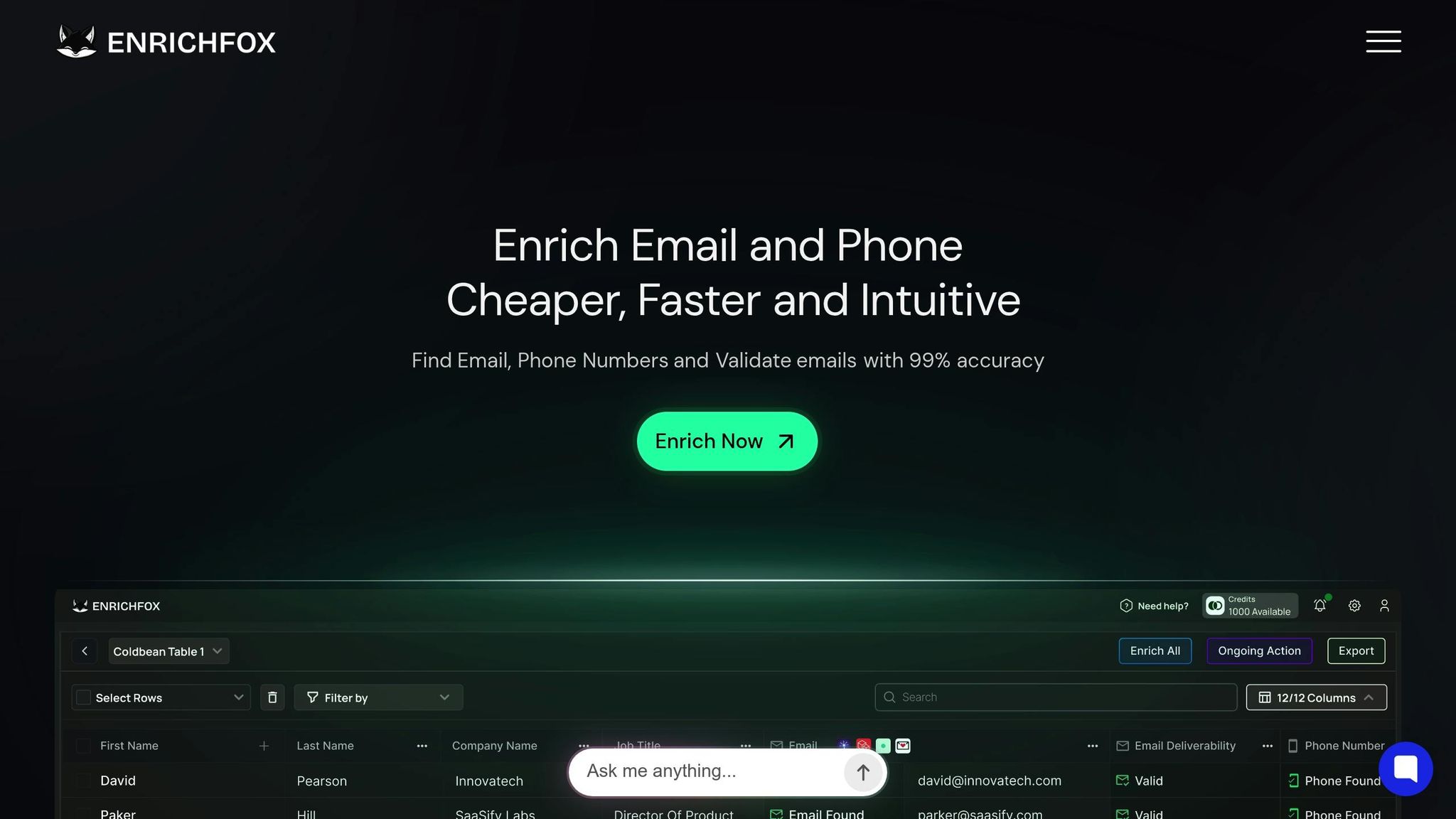
Enrich Fox is designed to ensure data accuracy right at the source. With an impressive 99% email validation rate, it identifies duplicates that might slip through due to small discrepancies in contact information. Its bulk enrichment feature processes extensive lead lists, standardizing key data fields and eliminating inconsistencies like format variations. For example, when you upload a CSV file with thousands of leads, Enrich Fox validates each email address and phone number, flagging duplicate entries.
The platform integrates seamlessly with CRMs using API and webhook connections. This eliminates the need for manual exports and imports, ensuring that cleaned data syncs directly back to your system. Importantly, it preserves CRM record IDs, maintaining the integrity of historical data and relationships among contacts, deals, and activities. Pricing is straightforward: $0.00025 per verified email and $0.03 per validated phone number, making it a cost-effective choice for businesses processing large volumes of leads.
Tool Comparison for Duplicate Management
Different platforms offer unique features for duplicate detection and data management. Here’s a quick comparison of Enrich Fox and other leading tools:
| Tool | Key Strengths | Integration Options | Pricing Model | Best For |
|---|---|---|---|---|
| Enrich Fox | 99% email validation accuracy, bulk processing | API, webhooks, CSV export | Pay-per-use: $0.00025–$0.05/email | High-volume lead validation and standardization |
| Clay | Waterfall enrichment, workflow automation | Native CRM integrations, API | Credit-based, starts at $149/month | Complex data enrichment workflows |
| ZoomInfo | Extensive B2B database, intent data, technographics | Salesforce, HubSpot, Microsoft Dynamics | Annual contracts, custom pricing | Enterprise sales teams needing comprehensive data |
| Apollo | Combined prospecting and enrichment, email sequencing | Salesforce, HubSpot, API | Freemium, paid plans from $49/month | Sales teams wanting an all-in-one prospecting solution |
| Dropcontact | GDPR-compliant enrichment, automatic CRM sync | HubSpot, Pipedrive, Salesforce | Per-contact pricing, starts at ~$26/month | Businesses prioritizing compliance |
While Clay and Apollo offer broader feature sets with subscription models, ZoomInfo caters to enterprise-level needs with custom pricing. In contrast, Enrich Fox provides a pay-per-use model, ideal for businesses managing leads in bulk.
When choosing a tool, consider its integration capabilities. Platforms with native CRM integrations can automatically detect and merge duplicates within your system. On the other hand, API-based tools provide more control, allowing you to clean the data externally and re-import it while preserving record IDs. This ensures that all associated data - such as notes, deal history, and email threads - remains linked to the correct master record.
When to Use Third-Party Tools
Third-party tools become indispensable when your CRM's built-in features fall short. For instance, if you're managing over 10,000 leads, automated bulk processing can save you weeks of manual effort, completing the task in just hours.
Data accuracy is another critical factor. If more than 5% of your leads include invalid emails or disconnected phone numbers, enrichment tools can validate and update this information before outreach begins. This prevents duplicate contacts from slipping through under slightly different email addresses or phone numbers.
These tools are also invaluable during database merges, such as after an acquisition or when consolidating regional CRMs. Such scenarios often create duplicate challenges that overwhelm CRM systems. A phased deduplication approach - starting with exact email matches and moving to fuzzy name matching - can catch more duplicates while reducing errors.
To ensure smooth deduplication, establish clear rules for handling conflicting data. For example, you might merge text fields like phone numbers or notes, while setting strict rules for unique identifiers like account IDs. Always preview merges before applying them, and choose tools that provide a change log for accountability.
Finally, standardizing data fields in your CRM before running automated deduplication can significantly improve matching accuracy. Opt for tools that emphasize compliance, especially if your business handles sensitive customer data or operates under strict privacy regulations.
How to Prevent Duplicate Leads
Keeping duplicates out of your CRM requires a mix of smart validation, consistent audits, and well-trained teams. These steps help maintain clean data, save time, and avoid costly errors.
Set Up Validation Rules
Validation rules are your first line of defense against duplicate entries. Most CRMs allow you to create rules that flag or block records with matching details like email addresses, phone numbers, or company names.
Start with email address validation. Since email addresses are a reliable unique identifier, configure your CRM to reject any new lead with an email already in the system. For instance, Salesforce has duplicate rules that check for exact matches, while HubSpot lets you either block duplicates entirely or warn users while allowing them to proceed with a justification.
Phone numbers, on the other hand, can be tricky due to formatting differences. To address this, set up your CRM to standardize phone numbers by removing formatting characters and storing them in a consistent format, such as +15551234567. This ensures the system can detect duplicates no matter how the number is entered.
For company names, use fuzzy matching to account for variations like "IBM" versus "International Business Machines" or "Microsoft Corp" versus "Microsoft Corporation." Unlike email matching, which works best with exact matches, company name validation benefits from flexibility. Setting a matching threshold of 80–85% can help identify duplicates without flagging unrelated records.
While validation rules catch most duplicates, regular audits will help address any that slip through.
Schedule Regular Data Audits
Even with strong validation in place, duplicates can still sneak in through manual errors or imported data. That’s why regular audits are essential.
For smaller databases, aim for monthly reviews; for larger or frequently updated ones, consider weekly checks. During each audit, run duplicate detection reports focusing on specific criteria - start with exact email matches, then move on to phone numbers, and finally, review company names alongside matching domains.
Data entry errors are more common than you might think. For example, with an average human error rate of 1%, a database of 10,000 leads could contain around 100 problematic records. To tackle this, use a standardized audit checklist to review recent imports, check for formatting errors in key fields, and ensure validation rules are functioning correctly. Keep track of recurring issues, such as certain import sources contributing more duplicates or specific teams needing additional guidance.
Use your CRM's reporting tools to spot trends. For example, if duplicate entries spike after trade shows, it may signal a need to refine your event lead capture process. Similarly, if certain sales reps repeatedly create duplicates, they might benefit from targeted training.
Consider setting up automated alerts to catch potential duplicates early. Many CRMs can notify admins when duplicate rules are bypassed or when records with similar details are detected, allowing for quick action.
Train Your Team on Data Entry Standards
Clean data isn’t just about tools - it’s also about people. Without proper training, even the best systems can’t prevent duplicates.
Start by educating your team on the importance of accurate data entry and how duplicates can waste resources, distort analytics, and irritate customers. When team members understand the impact, they’re more likely to follow best practices.
Document clear, standardized protocols for common scenarios. For example, decide how company names should be entered - use the official business name and avoid legal suffixes like "Inc." or "LLC" unless necessary for differentiation. Standardize abbreviations, such as using "Intl." for "International", to maintain consistency.
Tailor role-specific guidelines to different team responsibilities. Sales reps entering leads manually should know how to check for existing contacts, while marketing teams importing lists need to understand proper CSV mapping to prevent errors.
Assign clear data management roles using a RACI framework (Responsible, Accountable, Consulted, Informed). This ensures everyone knows who is responsible for maintaining data quality across teams like Marketing Operations, Sales Operations, and IT.
Encourage feedback by creating a system where team members can report challenges or suggest improvements to data entry processes. Streamlining workflows to make duplicate checks easier will reduce errors. You might also appoint data champions - team members with advanced training who can act as resources for their colleagues. These champions can help reinforce best practices and drive long-term improvements in data quality.
Conclusion
As mentioned earlier, about 15% of leads are duplicated, and 22% contain invalid data - issues that cost U.S. businesses trillions of dollars every year. This makes maintaining high-quality data an absolute priority.
To get started, focus on data backup, standardization, and establishing clear deletion policies. Then, take advantage of your CRM’s duplicate management tools or explore specialized solutions for more advanced needs. For instance, Enrich Fox (https://enrichfox.ai) provides 99% accuracy in email validation, along with bulk enrichment and automated checks. It’s a cost-effective option, with email verification priced as low as $0.00025 per email.
Once the basics are covered, shift your attention to long-term strategies. Preventing duplicates is much cheaper than fixing them. Consider this: stopping a duplicate at its source might cost $1, but correcting it later could cost $10, and leaving it unresolved might escalate costs to $100. That’s why implementing validation rules, scheduling regular audits, and training your team on accurate data entry are essential practices for sustainable growth.
Think of managing duplicates like maintaining a car - routine checkups and consistent care prevent bigger problems down the road. Clean, enriched data doesn’t just keep your system running smoothly; it can become a powerful asset. It enhances operational efficiency, improves customer satisfaction, and supports smarter decision-making across your business.
FAQs
What’s the difference between using CRM tools and third-party solutions to manage duplicate leads?
When it comes to managing duplicate leads, most CRM tools come equipped with basic features. They can usually spot and merge duplicates during record creation or updates, which works well for smaller-scale operations. However, these built-in tools often fall short when it comes to more advanced or flexible functionality.
That’s where third-party solutions step in. These tools go beyond the basics, offering advanced features like fuzzy matching, which helps identify subtle differences in data entries. They also provide automation for bulk processing and can handle custom objects, making them particularly useful for managing large volumes of leads. For businesses dealing with complex data management, these solutions deliver the precision and efficiency needed to keep things running smoothly.
What steps can my team take to consistently follow data entry standards and avoid duplicate leads?
To keep your team aligned with consistent data entry standards and cut down on duplicate leads, it’s crucial to establish clear guidelines. These should outline required fields, proper formatting rules, and validation criteria for every entry. Regular training sessions and periodic reminders can help reinforce these practices, ensuring everyone stays on the same page.
In addition, leveraging tools built for maintaining data accuracy - like those from Enrich Fox - can make this process even smoother. Features such as email validation and lead enrichment not only keep your data clean but also reduce the chances of duplicate entries, ensuring your database remains reliable.
What are the best ways to set up rules to prevent duplicate leads from entering your CRM?
To keep duplicate leads out of your CRM, start by setting up clear duplicate matching rules. These rules should focus on key fields such as email, phone number, or name to identify overlaps. Then, put merge rules in place to automatically combine duplicate entries into one accurate record. It's also important to establish a master record strategy, which decides which version of a lead should take priority when duplicates are merged. Tools like Enrich Fox can make this process even smoother by validating and updating lead data with precision before it enters your CRM.